Kraken: Buy Crypto & Stocks
- 4.3
- Rating
- 5.00M
- Installs
- Free
- Price

 Analysis by App-foxy
I spent time with Kraken as a finance app for handling crypto and exploring stock-related investing from a mobile device, and my first impression was that it is aimed at people who want a more serious money tool than a simple price-watching app. It is free to install, rated for Everyone, and developed by Payward, Inc. The app has built a substantial audience, with an average rating of 4.5 from around 48 thousand ratings and more than 5 million installs.
That popularity does not automatically make it the right choice for every investor. Kraken is better suited to someone who is comfortable making financial decisions, checking details before confirming a transaction, and accepting that digital assets can be complicated. I would not recommend approaching it like a casual game or a savings wallet. Its usefulness depends as much on your habits as on the app itself.
What the mobile experience feels like in everyday use
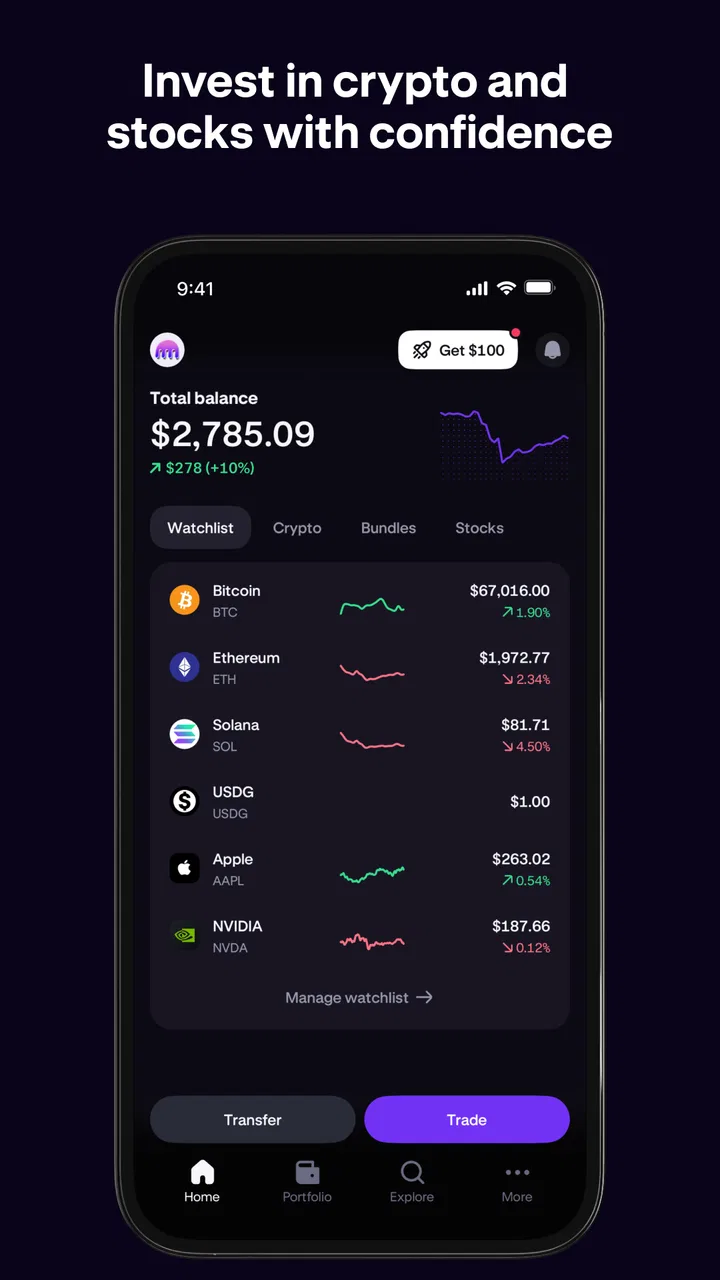
The main appeal is having crypto and stock activity in one place instead of switching between several financial apps. I found that arrangement convenient when I wanted to check a portfolio, review a market move, or decide whether an account action needed my attention. The experience feels more practical for active monitoring than for completely passive investing.
You May Also Like

 Blood Strike: 2.5 Anniversary
Blood Strike’s Loadouts Turn Every Drop Into a Tactical Gamble
A close look at Blood Strike’s custom loadouts: how fast access to signature weapons reshapes its battle royale rhythm, rewards preparation, and narrows the gap between fights.

 Pandora - Music & Podcasts
Pandora’s Music Is Easy to Start, but Harder to Recover
Pandora’s strength is its low-effort path from a seed to a station. Its weak spot is how much confidence it asks you to place in connection, setup, and quiet recovery.

 8 Ball Pool
 Is Built on Rivalries, Rematches, and Routine
A close look at the rivalries, rematches, shared routines, and unanswered safety questions that turn a quick pool match into a persistent mobile community.

 Samsung Music
’s Quiet Strength Is Playing What You Already Own
Its reach comes less from spectacle than from dependable access to a personal library. That simplicity is both the app’s strongest retention engine and its ceiling.

 AccuWeather: Weather Radar
AccuWeather Review: A Quick, Clear Forecast for Everyday Decisions
For everyday plans, the best forecast is the one you can understand quickly. AccuWeather makes rain timing, radar, and local conditions easy to act on, with a few trade-offs.

 Hill Climb Racing
Why Hill Climb Racing Still Turns Crashes Into One More Run
A tiny car, a bumpy hill and one more upgrade: Hill Climb Racing keeps resurfacing because its simple chaos makes every near-miss feel personal.
More From Our News Desk



Kraken’s store summary presents it as a secure and trusted home for crypto and stocks, but I would treat that as an invitation to inspect the app rather than a reason to lower my guard. Finance apps deserve a slower approach. I prefer to verify the asset, amount, and destination every time, especially when I am using a small phone screen where a rushed tap can be harder to notice.
The app is free, although in-app purchases are listed from $4.99 to $49.99 per item. That does not mean every ordinary action costs money, but it is a useful reminder to read the screen around any paid option instead of assuming that “free” covers every possible service. For anyone comparing financial tools, the real cost should always include transaction conditions and account-specific charges visible during use, not just the download price.
Speed expectations when checking markets or preparing an action
In my experience, the most important kind of speed here is not flashy animation. It is how quickly I can reach the information I need, understand what I am looking at, and move through a transaction without confusion. Kraken is most comfortable when I already know my goal. If I open it to check a particular holding or review a planned action, the focused workflow feels more useful than wandering through a broad collection of financial content.
Market apps naturally depend on changing information and network conditions, so I would never treat a fast-looking screen as proof that a price or account state is permanently current. I use the latest visible details before making a decision and avoid tapping through a confirmation screen simply because the app appears responsive. This is especially important during sudden market movement, when the number I first see may not be the number relevant to the final action.
There is also a psychological speed issue. A compact mobile interface can make investing feel easier than it really is. Kraken lets me get close to a decision quickly, but I think the responsible workflow is deliberately slower: open the asset, inspect the amount, check the direction of the action, and read the final confirmation. The app can reduce friction; it cannot remove financial risk.
For routine portfolio checks, that trade-off works well. For a complex decision involving several assets, a desktop browser or a separate research tool may be better because a larger screen gives me more room to compare information. I see Kraken as a capable execution and monitoring companion, not as a complete replacement for careful research.
How it behaves during heavier use
The demanding moments are likely to be the ones that matter most to a real user: a sharp market move, a busy trading period, or a session in which I move between portfolio information and account actions repeatedly. I would judge the app less by whether it feels elegant during a quiet check and more by whether it keeps the steps understandable when attention is limited.
My practical advice is to prepare before a high-pressure moment. Keep the app updated, sign in before you urgently need it, and make sure you understand the account and asset screens while the market is calm. That is not a promise about performance; it is a way to avoid turning a momentary connection issue, extra verification step, or unfamiliar screen into a larger mistake.
Heavy use also exposes the limits of phone-based finance. A small display is fine for one clear task, but it becomes less comfortable when I need to compare multiple balances, distinguish similar assets, or review a long sequence of details. I would rather pause than rely on memory. A screenshot or note may help me organize my thinking, but I would still confirm the live information inside the app before acting.
Another useful habit is separating observation from action. I can open Kraken simply to see what changed, then close it without trading. That sounds obvious, but it matters because constant alerts and rapid price movement can encourage impulsive decisions. The app is more valuable when it supports a plan instead of becoming the plan.
Reliability, trust, and recovering from problems
Reliability in a finance app has several layers. The interface needs to open, account information needs to be clear, and important actions need to show enough confirmation for me to understand what will happen. Just as importantly, I need a sensible response when something interrupts the session. A failed or delayed screen should lead me to check the account state before trying the same action again.
I would not assume that pressing a button twice is harmless. If a transfer, purchase, or other account action appears uncertain, I would first review the visible history or account status, then seek help through the appropriate support route rather than repeating it immediately. This is one of the most important recovery habits for any financial app, and it is particularly relevant when the network is unstable or the market is moving quickly.
Kraken’s age rating is Everyone, but that should not be confused with simplicity. The app may be broadly accessible as software, while the financial decisions inside it remain suitable only for people who understand what they are doing. I would be careful about handing a logged-in finance app to someone else, even briefly, and I would avoid storing sensitive information in casual notes or messages around the device.
Recovery also means planning for a lost or replaced phone. Before relying on Kraken as a primary finance tool, I would make sure I know how I would regain access to the account and where I would look for official assistance. I would not wait until I was locked out to discover that my usual sign-in method or contact details were unavailable.
The app’s rating and review volume suggest that many people find it useful, but community approval is not a substitute for checking whether its workflow suits me. A highly rated app can still feel too involved for a beginner, while an experienced user may appreciate the additional control. I read the rating as a positive signal, not a guarantee that every account situation will feel effortless.
Device limits, updates, and resource demands
Kraken supports Android devices running version 8.0 or later. That gives it a broad compatibility range, although compatibility alone does not tell me how comfortable it will be on an older phone. On a device with limited memory, an aging battery, or a crowded storage area, I would expect the overall phone experience to matter as much as the app itself.
Finance apps should not be judged only by how little storage they occupy. The more relevant question is whether the phone can keep the session stable while handling authentication, network communication, and other background activity. I would close unnecessary apps before an important account task, keep the operating system reasonably maintained, and avoid doing anything sensitive on a phone that is already overheating or behaving unpredictably.
The current version is 3.51.0, so I would keep an eye on updates rather than treating the initial installation as finished. Updating can improve compatibility and correct problems, but I also prefer not to update at the exact second before an urgent transaction unless necessary. My routine would be to update during a calm period, open the app afterward, and confirm that I can still reach the screens I use most.
On an older supported phone, the biggest frustration may not be raw speed. It may be delayed keyboard input, awkward scrolling, or a session that needs to be restarted after switching between apps. Those details matter when entering account information. If my phone is unreliable, I would use a newer trusted device for important actions instead of blaming the app for every interruption.
I also would not use public or shared devices for financial access merely because Kraken is available there. A personal phone with a current operating system, a screen lock, and careful network choices is a much more sensible environment. The app can be well designed and still be exposed by poor device habits.
Useful workflows that are easy to overlook
One of the best ways to use Kraken is as a checkpoint rather than a constant trading window. I can set a personal schedule for reviewing holdings, record why I made a decision, and return later to compare the account with that original plan. This reduces the temptation to react to every short-term movement and gives the app a clearer role in my routine.
A second helpful workflow is reviewing before funding or moving anything. I would confirm that I am on the intended asset screen, check the amount carefully, and read the final details from top to bottom. This is slower than tapping through from a notification, but it is exactly the kind of friction I want in a financial product. The goal is not to make every action difficult; it is to make accidental actions less likely.
A third insight is that combining crypto and stocks can improve convenience while also increasing the need for organization. Seeing different investments together may make the account feel unified, but the assets can have different behavior and different reasons for being held. I would keep separate notes for my goals and risk limits rather than treating everything displayed in one app as one identical type of investment.
For travel or a busy workday, mobile access is genuinely useful. I can check whether I need to respond to an account issue without carrying a laptop. However, I would avoid making a complicated investment decision while distracted in an airport queue, on public transport, or between meetings. Convenience is strongest for monitoring and simple planned tasks; it is weaker when I need concentration.
Finally, I would review any paid option with the same care as an investment action. The listed purchase range of $4.99 to $49.99 per item means the app can include paid offerings, so I would read the wording and confirmation screen rather than assuming an optional feature is included at no cost. That habit prevents a finance app from becoming a source of avoidable billing surprises.
Who should use it, and who should choose something else
I think Kraken is a good fit for an Android user who wants crypto and stock-related activity gathered in one mobile finance app, values access away from a desktop, and is willing to learn the screens before using them. It also suits someone who wants a more deliberate tool than a basic price tracker. The free entry point makes it easy to explore, while the broad install base indicates that it is not an obscure experiment.
I would be more cautious recommending it to a first-time investor who wants a guided, almost automatic path. If I were teaching someone who is still learning the difference between an asset balance, a market price, and a completed transaction, I would start with education and a simple plan before encouraging active use. Kraken may support the process, but it should not be expected to make financial concepts disappear.
It is also not my first choice for someone who only wants long-term stock investing with minimal crypto exposure. A conventional brokerage may offer a more focused experience for that purpose. Likewise, a dedicated research platform can be better when the main task is comparing companies, studying market information, or building a detailed investment thesis rather than managing a mixed mobile account.
On the other hand, someone who already uses separate crypto and stock apps may appreciate the convenience of consolidation. The benefit is not merely fewer icons on the home screen. It is having one place to check the overall picture before deciding whether a new action fits the rest of the portfolio. The trade-off is that one app can make a varied portfolio look simpler than it actually is.
My performance verdict after using it
My overall impression is that Kraken works best when I treat it as a serious financial instrument rather than a fast-clicking market feed. It is convenient for checking an account, preparing planned actions, and keeping crypto and stocks within one mobile workflow. The interface is most valuable when I know what I want to verify and take time to read the confirmation details.
Its perceived speed is adequate for ordinary monitoring, but I would not base an urgent financial decision on the assumption that every screen is instantly current or that every action completes exactly when I tap. During heavy use, network conditions, account checks, and the limitations of a small phone can all affect the experience. That is why I prefer preparation, one action at a time, and a status check whenever something looks uncertain.
Resource demands should be manageable on a supported device, but an older Android phone can still make sensitive tasks uncomfortable through general sluggishness, battery problems, or app switching issues. Keeping the device maintained and the app current is part of using it responsibly. Recovery planning matters just as much: know how you would regain access and what you would check before repeating an interrupted action.
My recommendation is simple: choose Kraken if you want convenient mobile access and are prepared to stay attentive to the details. Skip it in favor of a more specialized brokerage, research tool, or simpler beginner service if its combined crypto-and-stocks approach feels broader than your actual needs. Payward, Inc. has produced an app with a strong public reception, but the right decision still depends on whether its workflow matches your experience, device, and financial goals.
FAQs for Kraken: Buy Crypto & Stocks
01What features does Kraken offer for buying stocks and crypto?
Kraken provides a user-friendly platform allowing users to trade a wide range of cryptocurrencies and stocks. It offers advanced charting tools, real-time price data, and robust security measures. Additionally, users can set up price alerts, create watchlists, and access educational resources to improve their trading skills.
02Is Kraken safe to use for trading and storing assets?
Yes, Kraken is renowned for its strong security protocols. It uses two-factor authentication, encrypted data storage, and regular security audits to protect users' funds and information. Cold storage is also employed to ensure that the majority of assets are kept offline, significantly reducing the risk of hacks.
03What are the fees associated with trading on Kraken?
Kraken offers competitive fee structures, generally based on a maker-taker model. Fees vary depending on the trading volume and the specific markets involved. Users can expect lower fees for higher trading volumes. It's important to review the detailed fee schedule on Kraken's website to understand the costs associated with each transaction.
04Can I use Kraken on mobile devices?
Yes, Kraken offers a fully functional mobile app for both Android and iOS devices. The app provides all the essential features available on the desktop platform, including the ability to execute trades, monitor market trends, and manage account settings. This ensures users can trade conveniently on the go.
05How do I get started with Kraken?
To start using Kraken, download the app from the Google Play Store or Apple App Store. After installation, create an account by providing necessary personal information and verifying your identity. Once verified, you can deposit funds and begin trading. Kraken provides a user-friendly interface and support resources to assist new users throughout the setup process.
Pros
- User-friendly interface for beginners.
- Wide range of cryptocurrencies supported.
- Strong security measures in place.
- Competitive trading fees.
- Advanced tools for experienced traders.
Cons
- Limited customer support options.
- Complex verification process.
- Restricted access in some regions.
- No built-in wallet for all coins.
- Mobile app lacks some desktop features.

Kraken: Buy Crypto & Stocks
Gallery